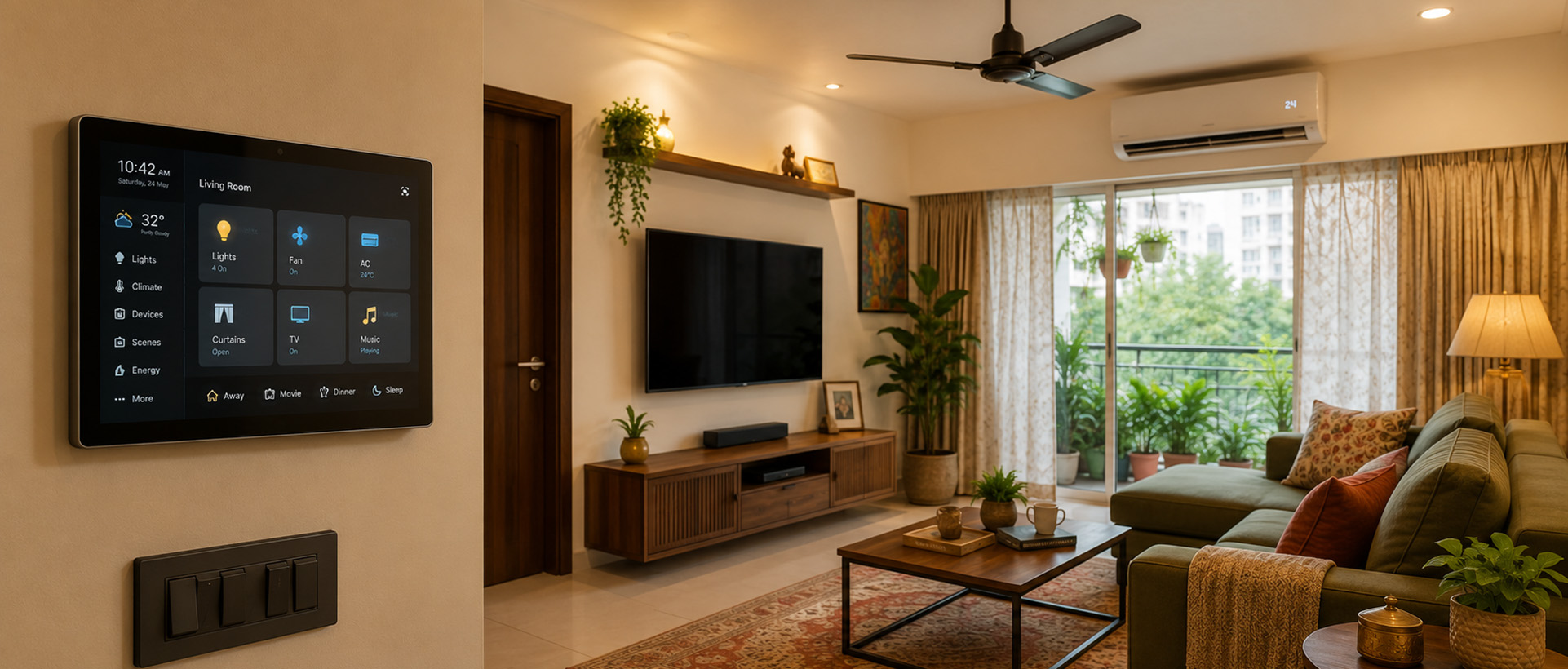
Before you buy a single smart device, you need to choose an ecosystem — because that decision determines whether your smart home becomes a reliable, whole-family system or a frustrating tangle of apps, cloud dependencies, and broken automations. This How to Get Started with Home Automation in India: this Complete Smart Home Ecosystem Guide for India covers every major protocol, hub, and controller available in India in 2026, with specific guidance for Indian electrical infrastructure, apartment construction, and the power-cut reality that global guides ignore.
A smart home ecosystem is a cohesive network of interconnected devices that can communicate with one another, such as locks, lights, and thermostats. You can automate everyday routines and manage your house remotely using a central app or voice assistant.
Before you evaluate a single device — before you look at a price, read a review, or watch an unboxing video — you need to choose an ecosystem. Everything else follows from that choice. Consider an analogy: assembling a home theatre without thinking about compatibility first. You buy a projector, a soundbar, and an AV receiver from three different manufacturers. Each has its own remote. Nothing works together elegantly. Now scale that problem to 30 light switches, a video doorbell, three air conditioners, a smart lock, and a water heater. Without ecosystem coherence, complexity does not add linearly — it compounds.
Most Indian buyers discover this insight too late: you have almost certainly already made your first ecosystem choice without realising it — the moment you bought that ₹900 smart Wi-Fi plug on an Amazon sale and set it up with its branded app. That plug runs on Wi-Fi, uses a Tuya Cloud backend, and works with its own app. If you then buy smart lights on Zigbee, a smart lock on a proprietary RF protocol, and a thermostat on Thread/Matter, you have multiple separate communication protocols and — unless you have planned carefully — separate control layers. They may coexist, or they may interfere. They almost certainly will not work together elegantly without a hub and significant configuration effort.
An ecosystem, properly understood, is not a brand. It is a combination of a communication protocol, a home automation hub or controller, and a cloud or local backend. Choosing “Philips Hue” is choosing Zigbee as your lighting protocol, the Hue Bridge as your hub, and — if you add a controller layer — Google Home, Amazon Alexa, or Apple HomeKit as your voice and automation interface. Choosing “Alexa” is choosing Amazon’s cloud as your control layer. Choosing Home Assistant is choosing a local-first controller that can bridge multiple protocols — but also accepting that you will configure it yourself.
Choosing devices from incompatible ecosystems creates fragmented, unreliable setups that are incredibly expensive to fix later. The question to answer before spending a rupee is:
What is the central intelligence of my home, and where does it live?
The first smart device arrives. You set it up, it works, and the experience is satisfying. Then you buy a second one, from a different brand. The two apps don’t talk to each other, but that seems manageable. By the fifth device, you are juggling four apps, two voice assistants, and a set of automations that are partially broken and impossible to diagnose. Then the power cuts during a party — as it will, in any Indian city — and in the 90 seconds it takes your inverter to cycle, your router reboots, your Wi-Fi devices stall waiting to re-authenticate with a distant IoT cloud server, and your guests stand in the dark while you search for a physical switch. This is not a hardware problem. It is an ecosystem problem — and almost every first-time smart home buyer in India encounters it, because the industry is structured to sell devices, not systems.
India presents a specific set of infrastructure conditions that global smart home guides largely ignore. Understanding these conditions is not optional; they directly determine which ecosystems will work reliably and which will produce the failure scenario above.
India’s power supply situation is unlike that of most countries for which smart home products are designed. Frequent outages — ranging from scheduled load shedding to sudden faults — mean that virtually every Indian home with smart devices will have an inverter or UPS backup. This is where a specific and often invisible failure mode lives. When grid power goes off, the inverter takes between 10 and 500 milliseconds to switch to battery supply, depending on inverter type and age. Your router, however, may reboot during this transition if the inverter’s output is not a clean sine wave. This is the “reconnection race“: your hub, your smart devices, and your router all restart at slightly different times, attempt to reconnect to the cloud simultaneously, and frequently fail — leaving devices unresponsive for minutes, or until someone power-cycles them manually.
The solution is to plan your inverter circuits before you buy your first smart device. Your router, your home hub, and your core smart devices should be on a dedicated inverter circuit, isolated from high-load appliances like refrigerators and air conditioning units whose startup draws can cause voltage drops/spikes. This is a conversation to have with your electrician at the wiring stage, not after the false ceiling is up. For the architect or designer specifying an inverter-backed smart home: the inverter circuit plan should appear on the electrical drawing as a named circuit, not as an afterthought.
Beyond the reconnection problem, there is a separate and more serious hardware risk: when grid power returns after an outage, it frequently returns with a voltage spike. Indian distribution networks are not engineered to the tolerance levels of European or Japanese grids, and surges that accompany power restoration can be substantial. Smart switch modules — compact relay electronics operating at mains voltage inside a 60–85 mm switch box with limited thermal headroom — are disproportionately vulnerable. A single significant surge can destroy the relay in a smart switch silently, or damage it progressively, producing erratic behavior that is maddening to diagnose.
The solution is whole-home surge protection at the Distribution Board (DB) level, not individual surge strips at each socket. A DB-level surge protection device (SPD), wired in at the main board by a qualified electrician, clamps voltage spikes before they reach any downstream circuit. A quality SPD from a reputable brand like Havells, Legrand, or Schneider Electric runs ₹2,000–₹5,000 installed — modest relative to the cost of replacing eight smart switch modules and the labor involved.
When grid power is restored after an outage, the returning voltage often spikes before stabilizing. The tiny electrical relays inside smart switches and smart plugs are highly sensitive to these fluctuations and can easily fuse or burn out. If you are investing ₹50,000 or more in smart home modules, installing a high-quality Surge Protection Device (SPD) at your home’s main Distribution Board is not an optional extra — it is mandatory insurance for your hardware.
Smart air conditioning is arguably the highest-value automation in any Indian home — an AC that turns itself off when the last person leaves, adjusts temperature based on time of day, or cuts power during peak tariff hours pays for its own installation cost within a season. Smart IR blasters like Sensibo or Cielo Breez are the most accessible way to achieve this without replacing the AC itself.
There is, however, a fundamental limitation that every IR-based AC control setup shares. An IR blaster works by sending one-way infrared signals, exactly like a physical remote. It has no feedback channel from the AC unit itself. The hub tracks AC state entirely by inference — it assumes the AC is on because it sent an “on” command. The moment a family member picks up the physical remote and turns the unit off directly, the hub’s record of state becomes fiction. Every subsequent automation that acts on that assumption now operates on a false premise.
Some newer AC units — particularly from Panasonic, Samsung, Daikin, Voltas, and Blue Star in their recent Wi-Fi-enabled ranges — support direct Wi-Fi or Modbus control, where the hub receives actual state feedback and desync is impossible. If you are buying a new AC and smart integration matters, prioritize models with native Wi-Fi control; but, Matter Support is great for future-proofing your technological investment. For existing units where IR is the only option, the best workaround is a smart plug or energy monitor on the AC’s power circuit: current draw above a threshold confirms the compressor is running, giving the hub a genuine state signal.
If AC is the highest-value automation, the ceiling fan is the most ubiquitous — but automating them in India is a minefield. Wiring a standard on/off smart relay module to a traditional fan that uses a mechanical step regulator eliminates speed control. Using a standard smart dimmer module to control fan speed causes the fan motor to emit a loud, grinding hum and significantly reduces its lifespan, because leading-edge TRIAC dimmers are mismatched to the fan’s inductive load.
The Indian market is transitioning rapidly to BLDC (Brushless DC) ceiling fans from brands like EcoLink, Atomberg, and Havells. These come with their own RF/IR remotes and bypass wall regulators entirely.
If you are renovating, the best way is to install BLDC fans and automate them using IR blasters, or buy native Wi-Fi versions. If you must automate older traditional fans, source dedicated Smart Fan Modules — which contain capacitive stepping regulators rather than TRIAC dimmers — and be aware that these may require more switch box depth.
Indian residential construction — particularly RCC-framed apartment buildings, which dominate urban construction — is significantly more hostile to wireless signals than the drywall construction common in North America and Western Europe. Radio frequency signals passing through reinforced concrete walls experience typically 15–30 dB of attenuation depending on wall thickness and rebar density, compared to near-transparent loss through drywall.
This has direct consequences for protocol choice. Wi-Fi, which relies on maintaining a connection to a single access point, is most affected. Zigbee and Thread mesh protocols, where devices relay signals through each other, handle concrete construction more gracefully — but only when the mesh is dense enough to route around obstacles. If your flat has RCC construction and rooms separated by solid masonry walls, budget for more devices than you think you need, and plan access point placement before finalizing device locations.
Most smart switches require a neutral wire — the return path for current — to power the switch’s electronics when the circuit is otherwise off. A very large proportion of Indian switch boxes, particularly in homes built before 2010, were wired without a neutral at the switch. When a homeowner specifies a smart switch for an older property, the first question the electrician must answer is whether a neutral is present at each switch box. If it is not, the options are: run a new neutral (which requires opening walls), use a no-neutral smart switch (which limits choices and sometimes causes flickering), or use a smart bulb instead of a smart switch.
Because Indian homes frequently lack neutral wires, buyers often purchase no-neutral smart switches, such as Tapo Smart Switch S220 (uses a proprietary Sub-1G low-power wireless protocol) or Aqara Smart Wall Switch H1 (Zigbee 3.0). While these are physically wired to the mains, they do not act as Mesh repeaters for Zigbee or other proprietary protocols — they function as Minimal End Devices because they scavenge power and cannot maintain the constant radio transmission required for routing. This affects mesh density planning.
A hardware failure mode that receives almost no attention in global guides causes significant problems in Indian installations: the metal switch box. A large proportion of older Indian homes use concealed metal junction boxes embedded in masonry walls — standard under common modular plate systems such as Anchor Roma and Legrand Britzy. Metal is an excellent conductor, and a sealed metal enclosure acts as a “Faraday cage“. The 2.4 GHz radio frequency signals used by Wi-Fi, Zigbee, and Thread are all attenuated. Installing a smart relay module inside a metal box is, in effect, installing a radio transmitter inside a signal-blocking container.
Use plastic modular boxes (RF-friendly) at every wireless-module position. Standard boxes are 35 mm deep; smart relays need 45 mm minimum, 60 mm preferred.
The solution for new construction and renovation is straightforward: specify plastic modular electrical boxes at every switch position that uses wireless modules; all other boxes can be metal. Plastic is RF-transparent and introduces no attenuation. Standard metal and many older plastic boxes in Indian installations are 35 mm deep. A smart relay module requires 45–60 mm of clearance. Specify 45 mm as the minimum and 60 mm as the preferred depth for any switch box where smart modules are anticipated.
In recent years, multiple global smart home manufacturers have shut down their cloud services — sometimes with advance notice, sometimes with very little. When a cloud service that underpins a product line shuts down, every device it supports becomes a non-smart device permanently. In India, where the vast majority of smart home devices are cloud-dependent with no local fallback, this risk is underappreciated.
Two regulatory developments make this more concrete for Indian buyers in 2026. The Digital Personal Data Protection Act (DPDP) 2023 governs how personal data — including usage patterns, presence data, and footage from smart devices — can be collected, stored, and transferred. Most Tuya-based devices route data through servers outside India. The DPDP Act 2023 explicitly adopted a “negative list” approach to cross-border data flows (Section 16), meaning personal data can flow freely to any country except those explicitly blacklisted by the Central Government via notification. Additionally, the April 2026 mandate under the MeitY/BIS Essential Requirements (ER) applies to all CCTV and IP cameras sold in India, including residential and commercial retail — brands are legally bound to comply with STQC certification.
If your smart home runs on Wi-Fi — as most entry-level Indian smart homes do — your router is as important as any individual smart device. ISP-provided routers in India are typically single-band or dual-band devices with limited client capacity, designed to provide basic broadband access, not to manage 30 or 40 simultaneously connected devices. A household with three family members using smartphones and laptops, a smart TV, a few streaming devices, and a printer may already have 15–20 clients before a single smart device is added.
By 2026, many Indian ISPs (like Jio and Airtel) have upgraded their default hardware to dual-band Wi-Fi 6 routers, which handle congestion via OFDMA much better than older Wi-Fi 5 routers. Wi-Fi 6 (802.11ax), utilizing OFDMA and MU-MIMO, routinely handles 75–100+ low-bandwidth IoT devices without latency issues.
Most buyers who build a serious smart home in India will need to replace the ISP-provided router. Budget for this from the outset. A capable dual-band or tri-band mesh router system costs ₹4,000–₹20,000 and is one of the highest-leverage investments in the entire smart home stack.
There is a specific setup hurdle that frustrates almost every first-time Indian smart home buyer: the ISP router’s “Band Steering” feature. Most modern JioFiber and Airtel Xstream routers broadcast the 2.4 GHz and 5 GHz networks under a single, combined Wi-Fi name (SSID). Because most Wi-Fi smart plugs and bulbs only contain 2.4 GHz radios, they frequently fail to pair when your smartphone is connected to the 5 GHz band during setup. The solution before unboxing any Wi-Fi device is to log into your router’s admin panel, temporarily separate the bands into two distinct network names, connect your phone to the 2.4 GHz network to pair your devices, and then re-merge the bands if desired.
When replacing the ISP-provided router, the specification that matters most is not raw throughput speed. What matters is how the router handles a large number of simultaneous low-bandwidth connections — the precise traffic profile of a smart home. This is exactly the problem that Wi-Fi 6 (802.11ax) was designed to solve. Its key enabling technology is OFDMA (Orthogonal Frequency Division Multiple Access) which allows a single Wi-Fi 6 radio to divide its channel into smaller sub-channels and serve multiple devices simultaneously in the same transmission window. On a Wi-Fi 5 router, 30 smart devices competing for airtime create measurable latency. On a Wi-Fi 6 router, those same 30 devices can be served in parallel. The difference is the gap between a light switch that responds instantly and one that hesitates for a visible half-second.
Capable Wi-Fi 6 routers suitable for a 30–100 device smart home — the TP-Link Archer AX series, the Asus RT-AX series, or entry-level mesh systems — are now available in India in the ₹3,000–₹18,000 range. If your flat exceeds 900–1100 sq ft or has more than two RCC walls between the router and the furthest device cluster, a Wi-Fi 6 mesh system (two nodes) is preferable to a single router.
These are the foundational choices. Every device you consider fits primarily within one of these families. Understanding what separates them is the prerequisite to making any intelligent purchasing decision.
Wi-Fi smart home products are the most visible category in the Indian market. They require no separate hub, connect directly to your existing router, and are controlled through cloud-based apps. The majority of smart plugs, budget smart switches, and smart cameras sold on Amazon India and Flipkart operate on this architecture, frequently using Tuya’s cloud backend — meaning that even products sold under different brand names (Atomberg, Polycab Hohm, Havells, Wipro, Syska, Crompton, Okos, HomeMate, Zebronics, Zunpulse, and dozens of others) share the same underlying infrastructure.
Wi-Fi and Bluetooth are often confused in marketing. WiZ and most recent Tuya Wi-Fi products use Bluetooth for initial device commissioning only. Once paired, all WiZ control and automation runs exclusively over Wi-Fi — every WiZ bulb permanently occupies a 2.4 GHz router connection slot. WiZ is a Wi-Fi ecosystem product and should not be categorized as Bluetooth or Bluetooth Mesh.
Tuya is not a brand. It is a Platform-as-a-Service (PaaS) provider that sits invisibly beneath the smart home product lines of dozens of Indian brands. The branded apps are largely skinned versions of the same underlying Tuya SmartLife app. A notable exception: Qubo (Hero Group) operates its own India-hosted cloud infrastructure — for buyers prioritizing data residency in India, these brands are worth evaluating as alternatives, though their device selection is more limited.
The DPDP Act angle: if you build a Wi-Fi-based smart home and the Indian regulatory environment around cross-border data residency tightens in the next few years, you have no exit path other than replacing devices. Local-control alternatives avoid this risk entirely.
+ Lowest entry price
+ Widest device selection
+ Easiest setup
+ No hub required
– Internet dependency
– Router congestion
– Cloud lock-in
– DPDP risk
· Philips WiZ
· Wipro
· Havells
· Syska
· Qubo
· SONOFF
· HomeMate
· Aziot
· Iotics
· Tata Power EZ Home
· Atomberg (some models
· TP-Link Tapo (Lights & Plugs)
* Trial Phase
* Rental homes
* 2-3 BHK
Bluetooth Mesh (also known as BT Mesh or Bluetooth SIG Mesh — not to be confused with standard point-to-point Bluetooth) enables smart bulbs and some switches to form a self-healing mesh network without a hub. Each device communicates with its neighbors, and commands travel through the mesh from any entry point. In India, Wipro’s smart LED panels run on Bluetooth Mesh, placing them in a different protocol family from the brand’s own smart bulbs — those use Wi-Fi. Havells and Syska follow the same pattern: a Bluetooth Mesh lighting range sitting alongside a separate Wi-Fi product line.
Bluetooth Mesh is an appropriate choice for rental homes or situations where no hub can be installed, and where the primary need is smart lighting. Control can work locally between devices in the mesh for basic on/off and dimming, reducing — though not eliminating — internet dependency. Also note that, integration with Alexa or Google Home typically requires a dedicated Bluetooth Mesh Gateway.
Note: Local Bluetooth control requires your phone to be within Bluetooth range of the mesh — in large or concrete-heavy apartments, this will be challenging.
+ Hub-optional for basic control
+ Well-suited to rental homes
+ Good for standalone lighting circuits
– Limited integration with other protocols
– Brand-specific Apps
– Not suitable for large setups
– IoT control requires a Gateway
· Wipro
· Havells
· Syska
* Supplementary lighting in a larger ecosyste
* Rental homes
* Where hub installation is not practical
Zigbee is the most mature and most appropriate protocol for a serious multi-device smart home in India. It is a low-power mesh protocol operating in the 2.4 GHz band, in which mains-powered devices — switches, plugs, and some bulbs — act as signal repeaters, extending the mesh automatically. Battery-powered devices like motion sensors, door sensors, and buttons are end nodes only; they do not extend the mesh. This distinction matters: a Zigbee mesh built entirely of battery sensors will have poor range. Build the mains-powered device layer first, sensors second.
Zigbee requires a hub — typically a device like the Aqara Hub M3, Sonoff Zigbee Bridge Pro, or a Home Assistant-compatible Zigbee USB stick. The hub runs automation logic locally, meaning that once scenes and automations are configured, they execute on your network without any internet dependency. This is Zigbee’s central advantage for the Indian context: the inverter cuts, the router reboots, and your Zigbee automations — if the hub is powered — continue to function.
Zigbee operates on channels 11–26 in the 2.4 GHz band. Wi-Fi operates on channels 1, 6, and 11 in the same band. As a best-practice optimisation, choose Zigbee channels 15, 20, or 25, which sit between Wi-Fi’s primary channels. This is a one-time hub configuration step.
On Philips Hue: Philips Hue is sometimes characterized as a closed or hostile ecosystem — this is inaccurate. Hue integrates natively with Home Assistant, Google Home, and Amazon Alexa, and has added Matter support. Hue is premium-priced and primarily ecosystem-locked for non-technical users who don’t use a third-party bridge. If you are using Home Assistant as your controller, Hue devices participate as first-class Zigbee citizens.
Thread and Apple HomeKit are best understood together, because in the Indian market Apple’s HomePod is currently the most accessible Thread Border Router — and HomeKit is the controller platform that makes Thread’s local-processing advantages immediately usable without a custom setup.
Thread (IEEE 802.15.4) is an IP-based mesh networking protocol designed specifically for low-power smart home devices. Unlike Zigbee, which requires a proprietary coordinator hub to translate between Zigbee and IP, Thread devices have native IP addresses — they are first-class network citizens. Thread requires a Thread Border Router to connect devices to the broader home network. In India as of 2026, Thread Border Routers available to residential buyers are: the Apple HomePod mini and HomePod (2nd generation), select Google Nest Hub devices, and the Aqara Hub M3.
Thread-enabled Apple hardware includes: Apple TV 4K (3rd generation) Wi-Fi + Ethernet, Apple TV 4K (2nd generation), HomePod (2nd generation), HomePod mini, and iPhone 15 Pro / iPhone 15 Pro Max or later running iOS 18. The first-generation Apple TV 4K does not include a Thread radio — verify your specific hardware generation before relying on it for Thread connectivity.
HomeKit automations run on the HomePod acting as a Home Hub inside your home, without contacting Apple’s servers. An automation that triggers a light when motion is detected fires in under 100ms and continues to work during internet outages. The HomePod mini serves a dual infrastructure role: Thread Border Router for Thread devices, and local automation hub for the entire HomeKit installation. At approximately ₹10,000 (verify current retail pricing), it is the most cost-efficient way to bring both capabilities into an Indian home simultaneously.
For Indian-available devices: Aqara’s product line integrates cleanly with HomeKit. Philips Hue connects via the Hue Bridge. Eve devices are Thread-native and integrate with HomeKit directly, without a bridge.
Matter is an application-layer interoperability standard developed by the Connectivity Standards Alliance (CSA), backed by Apple, Google, Amazon, and Samsung. Its core promise: devices from any Matter-certified brand work with any Matter-capable controller without brand-specific cloud bridges. Matter is a standard, not a protocol — Thread is a primary transport layer used by Matter, but Matter also runs over Wi-Fi and Ethernet.
As of Matter 1.5, the standard covers lights, switches, plugs, locks, thermostats, presence sensors, energy management devices including EV chargers, water valves, kitchen appliances, and cameras (with WebRTC for two-way audio and video). The meaningful constraint for Indian buyers is that affordable, widely available Matter-certified devices remain limited — most Matter-certified products in the Indian market sit in the premium tier: Eve, Aqara’s native Matter devices, select Philips Hue products.
Do not delay purchasing a hub or controller while waiting for Matter — the Aqara M3 and Apple HomePod are already excellent Matter controllers today. Do not delay purchasing well-established Zigbee devices where they are proven — the M3 bridges Zigbee devices to Matter anyway. Do pay attention to the Matter badge when purchasing new devices in categories where Matter-certified options are available at comparable prices: a Matter-certified switch bought today will remain compatible with future platforms; a proprietary Wi-Fi switch may not.
Z-Wave devices are manufactured and certified for specific regional radio frequency allocations — 908 MHz in the US, 868 MHz in Europe, and 865–867 MHz in India. The vast majority of Z-Wave devices available in India (through Amazon.in, grey-market imports, or international retailers) are US- or EU-certified units operating on the wrong frequency for India. Avoid Z-Wave unless you can verify Indian-market certification on every individual device before purchase.
Protocols move signals between devices. Controller layers decide what to do with those signals. This distinction matters because it is the source of one of the most common smart home misconceptions in India: buyers who believe they are choosing an ecosystem when they tell Google or Alexa to turn off a light are actually only choosing a voice interface — the real work is happening in the protocol and hub layer beneath it. A controller layer can sit above any ecosystem. Google Home can control Zigbee devices bridged through an Aqara hub. Home Assistant can control all of them at once, locally, without any of their clouds.
Google Home, Amazon Alexa, and Apple Siri are not ecosystems in the protocol sense. They do not define how your devices communicate. They are controller layers — software and hardware platforms that sit above Zigbee, Wi-Fi, Thread, and every other protocol, providing a unified voice and app interface. Most Indian buyers encounter them first — an Echo Dot on a Diwali sale, a Google Nest Mini bundled with a broadband plan — and many make the mistake of treating them as the foundation of their smart home rather than a convenience layer on top of one.
When you tell Alexa to turn off the bedroom light, that command travels from your device to Amazon’s cloud servers, which relay the instruction to the device’s own cloud (Tuya, Philips, or whoever), which then sends the command to the device itself. On a bad day — internet down, Amazon’s servers slow — nothing happens, and you end up walking to the switch anyway.
Apple’s Siri within HomeKit is meaningfully different. When Siri controls a HomeKit device via a HomePod, the command is processed locally on the HomePod without touching Apple’s servers. It is the only voice assistant in common use in India where the command-to-device path does not require a functioning internet connection for locally-hosted automations. Google Home and Alexa, by contrast, are fully cloud-dependent regardless of whether the underlying devices support local control.
The right mental model for Indian buyers: think of Google Home and Alexa as the voice interface for your smart home, not the brain of it. Building your entire system on Alexa or Google Home as the primary controller, with all devices as cloud-dependent Wi-Fi products beneath it, stacks two layers of cloud dependency on top of each other — precisely the architecture that produces the inverter-failure scenario described in the opening of this article.
Open-source integration platforms are locally-hosted software that runs on hardware inside your home — a Raspberry Pi, an Intel NUC, or a dedicated mini PC — and connects simultaneously to virtually every protocol and ecosystem described in this article. They are the controller layer for buyers who want no single point of cloud failure anywhere in their smart home.
Home Assistant is the most widely adopted platform in this category globally and in India. It integrates with Tuya devices via LocalTuya (bypassing Tuya’s cloud entirely), Zigbee devices via ZHA or Zigbee2MQTT, Apple HomeKit, Matter, Google Home, Alexa, and hundreds of other platforms through community-maintained integrations. All automation logic, device state, and data storage run on your local hardware. Devices are controllable and automatable with no internet connection. No monthly fees. No risk of a cloud service discontinuation cascading through your home. Tasmota and ESPHome extend this further: Tasmota replaces cloud-dependent firmware on ESP8266/ESP32-based devices such as Sonoff relays with local MQTT control, while ESPHome enables custom firmware for microcontrollers, making DIY sensors a practical reality.
OpenHAB (Open Home Automation Bus) is the other serious open-source platform worth knowing. Like Home Assistant, it runs locally and has no cloud dependency. Where it differs is in architecture: OpenHAB is built on a Java-based OSGi framework, making it more modular and — in the view of its community — more stable for large, complex installations where individual integrations can be updated without affecting the rest of the system. It has a longer track record in enterprise and professional smart building deployments. The trade-off is a steeper initial configuration curve and a smaller community than Home Assistant, which means fewer India-specific tutorials. For a technically confident buyer or integrator managing a large villa where long-term platform stability matters more than ease of setup, OpenHAB is a credible alternative worth evaluating.
For users on a Raspberry Pi, there is a nearly inevitable hardware failure mode — SD card corruption. Home Assistant constantly writes database logs, which quickly exhausts the limited read/write cycles of standard microSD cards, causing the system to crash fatally within 12 to 18 months. Boot the Raspberry Pi directly from an external USB SSD, or purchase hardware with built-in eMMC storage like the Home Assistant Green. The ₹3,000 premium for an SSD is mandatory insurance for a reliable local controller.
The following tables compare the major ecosystem options available to Indian buyers across the dimensions that matter most for a reliable, long-lived smart home installation.
The table below summarises each protocol and ecosystem family across key practical dimensions, including local control capability, cloud risk, and typical device cost.
| Protocol / Ecosystem | Hub Required | Internet Required for Basic Control | Max Reliable Device Count (Consumer) | Local Automation | Common Indian Brands | Relative Device Price | DPDP / Cloud Risk | Ideal Home Size |
|---|---|---|---|---|---|---|---|---|
| Wi-Fi | No | Yes | 20–30 (router-limited) | Pre-cached scenes only | WiZ, Wipro, Havells, Atomberg | ₹–₹₹ | High | 1–2 BHK, rental |
| Bluetooth Mesh | No (for basics) | Partial | 20–40 | Partial | Wipro, Havells, Syska | ₹₹ | Low–Medium | 1–3 BHK, rental |
| Zigbee | Yes | No | 50–150+ | Full | Aqara, Sonoff, Philips Hue | ₹₹₹–₹₹₹₹ | Low | Any |
| Thread | Yes (Border Router) | No | 50+ | Full local | Eve, Aqara (native Thread devices) | ₹₹₹₹ | Very Low | 2–4 BHK+ |
| Matter | Yes (Matter controller) | No | Varies by controller | Full local | Aqara M3 + native devices, select Philips Hue | ₹₹₹₹ | Very Low | 2–4 BHK+ |
| Apple HomeKit | Yes (HomePod) | No (local) | 100+ | Full | Nanoleaf, Philips Hue, Aqara | ₹₹₹₹ | Very Low | 2–4 BHK+ |
| Google Home / Alexa | Optional | Yes | 50+ | No | Echo, Nest Hub, broad compatibility | ₹₹ | High | Any (supplementary layer) |
| Home Assistant | Yes | No | 200+ | Full | Protocol-agnostic | ₹₹ (hub) + devices | Very Low | 2 BHK and above |
Price tiers: ₹ = budget (under ₹1,000/device), ₹₹ = mid-range (₹1,000–₹3,000), ₹₹₹ = premium (₹3,000–₹8,000), ₹₹₹₹ = luxury (above ₹8,000).
The second table summarises the practical trade-offs across setup difficulty, cost, local control, and scalability to assist with final ecosystem selection.
| Ecosystem | Setup Difficulty | Upfront Cost | Ongoing Cost | Local Control | Scalability | Ideal Home Size | Technical Requirement |
|---|---|---|---|---|---|---|---|
| Wi-Fi | Easy | Low (no hub) | None | Minimal | Poor beyond 25 devices | 1–2 rooms | None |
| Bluetooth Mesh | Easy | Low (no hub) | None | Basic (on/off, scenes) | Moderate (lighting only) | 1–2 rooms | None |
| Zigbee / Aqara | Moderate | Medium (hub ₹7k–9k) | None | Full | Excellent | Any | Moderate |
| Apple HomeKit | Moderate | High (HomePod + devices) | None | Full (via HomePod) | Good | 2 BHK to Villa | Low–Moderate |
| Open-Source / Home Assistant | High | Low–Medium (Raspberry Pi) | None | Full | Excellent | Any | High |
Four questions, answered honestly, will tell you which ecosystem belongs in your home. Work through them in order; the answers narrow your options significantly by the time you reach the fourth.
If the answer is fewer than ten — a few smart bulbs, a plug or two, a doorbell — a Wi-Fi or Bluetooth Mesh system is probably sufficient. The cloud dependency and router overhead are manageable at this scale, and the lower entry cost and simpler setup are genuine advantages. If the answer is fifteen or more, Zigbee/Matter or Home Assistant is the correct choice. The router congestion problem becomes real above 20 total network clients, the cloud dependency becomes a meaningful reliability risk, and the hub investment pays for itself in avoided frustration well before device fifteen.
Test your actual connection — at your flat, at peak hours, for a sustained period — before answering this question. If your building’s JioFiber or Airtel Xstream connection drops for more than an hour per week, a cloud-dependent ecosystem will produce regular frustration. If internet reliability is a genuine concern, Zigbee with local hub execution or Home Assistant is not merely preferable — it is the only architecture that will work reliably.
Rental homes present a specific constraint: you likely cannot modify wiring, install permanent switch modules, or run conduit. In this case, the ecosystem choice is constrained. Plug-based smart devices and Bluetooth Mesh or Wi-Fi smart bulbs are the appropriate choices. Aqara and Sonoff both offer products that require no wiring modification. For owned homes in renovation, the decisions change dramatically — you have the opportunity to put the right infrastructure in place before the walls close.
Home Assistant requires a meaningful initial investment of time and technical engagement. If you have that capacity, it is the most powerful option available. If you do not — if you want a system that a non-technical family member can troubleshoot without your help — a curated Zigbee ecosystem (Aqara hub + Aqara and Sonoff devices + Google Home or Alexa for voice control) is the pragmatic recommendation. It is not the most powerful architecture, but it is reliable, maintainable, and available in India. Ecosystem Decision Tree — a flowchart guiding buyers from device count and internet reliability through to a recommended ecosystem (Wi-Fi, Bluetooth Mesh, Zigbee/Aqara, Apple HomeKit, or Home Assistant), with branches for rental vs. owned property and technical confidence level.
Once you have built a substantial installation on any protocol, migrating is expensive and disruptive. Replacing twenty Tuya Wi-Fi switches with Zigbee equivalents costs the original purchase price, the new device cost, and the labour to reinstall. The Home Assistant LocalTuya integration can salvage many Tuya devices for local control, which is worth exploring before committing to physical replacement. For devices like smart switches built into wall boxes, there is no migration path other than replacement. The practical path for existing Tuya users is a parallel transition (see the migration section): install Home Assistant, connect your existing Tuya devices via LocalTuya, and migrate new purchases to Zigbee. Over time, as individual devices reach end of life, substitute Zigbee equivalents. Within 18–24 months, most serious installations can complete a full migration without a disruptive “big bang” replacement event.
The infrastructure decisions that determine smart home reliability happen before any device is purchased. For homeowners in renovation, these decisions happen at the building stage. For architects and designers, these decisions happen at the drawing stage. The six-point checklist below covers every infrastructure decision that is trivially easy to get right before the walls close and expensive to correct after.
Each of the following points represents a one-line addition to an electrical specification that is free to include at the design stage and costly to retrofit later. Work through all six before finalising any electrical drawing or briefing any contractor.
The infrastructure checklist above describes what a homeowner does during renovation. For an architect or interior designer, the equivalent specification translates to the following drawing and schedule notes. On the electrical drawing: “Provide neutral conductor at all switch box positions. Box depth minimum 45 mm, preferred 60 mm. Install 1-inch PVC conduit for all lighting and low-voltage circuit runs. Designate a dedicated UPS/inverter circuit for network infrastructure equipment (router, home automation hub). Hub location as marked; provide dedicated 5A socket with UPS supply.”
On the site supervision note to the electrical contractor: “Contractor to confirm neutral availability at each switch location before plastering. Smart switch modules require minimum 45 mm box depth — verify with owner before ordering switch gear. Zigbee hub to be positioned per plan; avoid proximity to microwave ovens and other 2.4 GHz interference sources.” The electrician knowledge gap in India is genuine and worth acknowledging directly: most Indian electricians have deep expertise in traditional wiring but limited exposure to smart switch module installation, Zigbee channel considerations, or hub placement logic. The responsibility for communicating requirements clearly sits with the architect or designer, not the electrician.
Many Indian independent houses and older apartment buildings have a three-phase electrical supply at the distribution board, distributed as single-phase at individual switch boxes. Heavy loads — air conditioning units, geysers — that are candidates for smart control may be on different phases from the home’s main smart switch circuit. Any whole-home energy monitoring device must correctly identify and handle the three-phase configuration to provide accurate readings. Confirm your supply configuration with your electrician before specifying energy monitoring equipment.
A smart home which fails when the internet drops or the power cuts is a liability, not an asset. Resilience is not an afterthought; it is an architectural principle that should be built into the system from the beginning. Four scenarios cover the vast majority of smart home failures in Indian conditions.
In a Wi-Fi smart home, an ISP outage means most devices are uncontrollable from the app. Pre-cached scenes may trigger on schedule, but any automation requiring cloud processing — which is most of them — fails silently. You are back to physical switches. In a Zigbee/Home Assistant home, the same outage means nothing changes. All automation logic runs locally on the hub. Schedules execute. Motion-triggered events work. The only things that stop working are explicitly cloud-dependent features: remote access from outside the home, weather-triggered automations, and third-party cloud integrations.
The design principle: run all core automations locally. Use the cloud for convenience features — remote access, notifications, weather data — not for basic home function.
The solution to hub failure is redundancy, and hub redundancy is cheaper than it looks. The Aqara M3 hub supports hub clustering, allowing two M3 hubs to share network management responsibility. Key benefits of M3 clustering include: edge computing (one hub acts as “leader,” converting multi-hub automations to faster local edge-based execution), expanded range (clustering lets you extend Zigbee, Bluetooth, Thread, and IR blaster coverage across larger homes by spreading physical hubs), and redundancy (if one hub goes offline, the other hubs in the cluster take over control for the devices they can still reach).
For Home Assistant installations, a warm standby approach is straightforward: a second instance on a second device, with configuration backed up to local storage, can be promoted to primary in under ten minutes. The cost of this insurance — roughly ₹3,000–₹6,000 for a capable secondary device — is trivial relative to the reliability benefit.
Individual devices fail — a smart switch stops responding, a Zigbee sensor drops off the mesh, a smart bulb freezes. The design response here is the “disconnect test” — a practice worth performing before you consider any installation complete. Turn off your router. Turn off your hub. Disconnect your internet. Walk through your home and verify that every room still functions using physical switches and manual controls. If any room is completely non-functional, your design has a resilience gap.
The Physical Override Principle: Every smart switch should retain the ability to function as a manual switch even when the hub is offline, the internet is down, and every automation has failed. Do not install smart modules that disable the physical switch paddle. Do not configure a room such that the only way to control lights is through an app. Every room should have at least one physical override that works without any electronics except the switch itself. A home that functions without technology, and functions better with it, is a smart home. A home that fails without technology is just an expensive experiment.
This is the failure mode most buyers never think about until it happens. If the manufacturer’s cloud platform shuts down or is discontinued, the response depends on your ecosystem. For Tuya-based devices, the LocalTuya integration with Home Assistant is the established migration path — work that can be done proactively, before any shutdown announcement. For Aqara/Zigbee, the M3’s local processing means that local automations and device control survive most cloud service interruptions; the Aqara cloud is used for remote access and some advanced features, but core local automation capability is not cloud-dependent. For Apple HomeKit, Apple’s privacy architecture means significantly less cloud dependency than most ecosystems.
The right starting point depends not just on budget, but on what you want your smart home to feel like at scale. These three scenarios are entry points, not complete plans. Learn what actually helps your daily life before you build a system around theoretical value.
The starter tier is about proving the concept and learning what your home actually needs — without over-committing. A sensible starter investment begins with the network foundation, not just devices. A replacement router capable of handling 30+ total clients — a reliable dual-band unit like the TP-Link Archer or Asus RT series runs ₹8,000–₹12,000 — is the right first purchase if your existing router is already straining. One clear rule: if you already have 15 or more total network clients, the router upgrade is not optional.
For devices, a practical starter build combines Wi-Fi smart plugs and Bluetooth Mesh lighting — two protocols that require no hub, no conduit work, and no electrician involvement. Start with two or three Wi-Fi smart plugs (₹500–₹900 each) on the appliances you actually use daily — a geyser, a floor lamp, a phone charging station. Choose plugs from a brand with a functioning Indian presence (Tapo, Philips WiZ, Qubo, or any Tuya-based plug with reasonable reviews) and accept that these devices are cloud-dependent for now. Add Bluetooth Mesh smart ceiling lights (₹600–₹1,200 each) for the rooms where lighting control genuinely matters — the bedroom and living room are almost always the right starting points.
Spend four to six weeks with this configuration before expanding. The gaps in your automation will tell you what to add next. What you learn in these six weeks is worth more than any device you could have bought with the same budget.
Buy Wi-Fi plugs for standalone appliances (geysers) where you do not need whole-home automations. You are buying a few Wi-Fi and Bluetooth devices specifically to learn how your family interacts with automation, fully accepting that these devices may not integrate into your permanent hub-based ecosystem later. Think of this ₹3,000 investment as paying for an education in your own habits. Once you know that you actually use scheduled geyser heating and automated bedroom lighting, stop buying Wi-Fi devices and pivot to building your permanent Zigbee or Matter infrastructure.
At this tier, you are building a complete smart home — lighting, climate, security, and energy monitoring — for a full 3–4 BHK flat. The ecosystem choice is now consequential and should already be made. If you chose Zigbee, expand the mesh to cover all rooms, add scene switches at key entry points, and integrate smart ACs via IR blasters or direct smart AC controllers — Sensibo or Cielo Breez are available in India and integrate with Home Assistant. If you chose Home Assistant, invest in the hardware and configuration time to set it up correctly. The Home Assistant Green or Yellow appliance is the appropriate hardware choice for buyers who want reliability without ongoing tinkering. At this tier, Alexa or Google Home integration makes sense as a supplementary voice control layer — not as the primary controller, but as the interface for casual use by non-technical family members.
Whole-home automation at this level typically involves new construction or major renovation, which means the infrastructure planning described in the previous section is not optional — it is the foundation of everything else. Before buying a single device at this tier, document three things: the inverter circuit plan (which circuits are UPS-backed, hub location on the plan), the hub redundancy strategy (primary and secondary hub specifications), and the cloud-exit plan (which ecosystems you are using, what local fallback exists, what the replacement path is if a cloud service is discontinued). This framing is the difference between a whole-home installation that works elegantly for a decade and one that requires an expensive redesign in year three.
At this tier, Home Assistant is almost certainly the correct controller platform, possibly with Zigbee2MQTT for protocol management, a commercial-grade Zigbee coordinator, and structured wiring — Cat6 Ethernet to hub locations, even if Wi-Fi is the device protocol. Professional installation by an integrator familiar with Home Assistant is a legitimate and worthwhile consideration; the hours saved on configuration and troubleshooting typically justify the cost.
Choosing the right ecosystem and laying the correct infrastructure will take you most of the way to a reliable smart home. But three topics that rarely appear in Indian smart home guides have a disproportionate impact on long-term cost, network safety, and physical security. Understanding all three before purchase costs nothing; discovering them after installation can be expensive to correct.
There is a running cost to a smart home that no product listing mentions: the electricity consumed by smart devices simply by being on standby and connected. Every smart switch module, smart plug, and Wi-Fi or Zigbee-connected device draws a small but continuous amount of power to maintain its network connection. Individually, the numbers sound trivial — typically 0.5W to 1W per device. Across a fully fitted 3 BHK with 30 smart switches and plugs, the aggregate is 15W to 30W running continuously, 24 hours a day, 365 days a year. At an average Indian residential tariff of ₹6–₹8 per kWh, that standby load costs roughly ₹800–₹2,100 per year in electricity — every year, for the life of the installation, producing no useful work.
Protocol choice matters here too. Zigbee devices typically draw at the lower end of the standby range — often 0.3W to 0.7W — because the Zigbee radio is inherently low-power. Wi-Fi devices draw more — typically 0.8W to 1.5W — because maintaining a Wi-Fi association requires substantially more radio activity than a Zigbee mesh heartbeat. Across 30 devices, the protocol choice alone can represent a difference of 15W–25W in continuous standby load, which at Indian tariff rates compounds to a meaningful sum over a five-year installation lifetime.
An IoT VLAN (Virtual Local Area Network) is a separate logical network within your home router that isolates your smart devices from your primary devices — phones, laptops, NAS drives. Devices on the IoT VLAN can reach the internet but cannot communicate directly with devices on your main network, which means a compromised smart plug cannot be used to access your banking laptop. Most capable consumer routers — Asus, TP-Link Deco Pro, Eero Pro, Ubiquiti — support VLAN configuration. ISP-provided routers typically do not. One important caveat: your Home Assistant hub or Zigbee hub needs to communicate with your IoT devices — it should be on the IoT VLAN itself, with a specific firewall rule allowing it to be managed from your main network.
Smart locks are one of the most-asked-about categories and one of the least-standardised in the Indian market. Most affordable smart locks sold in India (from brands like Yale, Godrej, ASSA ABLOY, and dozens of white-label options) operate on Bluetooth, proprietary RF, or pin/card access — not on Zigbee, Thread, or Matter. This means they typically cannot be integrated into the same automation ecosystem as your lights and switches without additional bridging hardware.
For buyers who want smart lock integration in a Zigbee or Home Assistant system, current options are limited: a handful of Zigbee-native locks from Aqara and a small number of imported models, or Bluetooth locks bridged to Home Assistant via a Bluetooth proxy device. For most Indian buyers, the practical recommendation is to choose a smart lock that works well as a standalone product — Bluetooth-based, with a reliable mobile app and physical key backup — and plan ecosystem integration as a future upgrade.
Indian doors frequently use multi-bolt interlock systems (like Godrej) and have varying door thicknesses. Most imported smart locks use standardised US/EU mortises that require significant carpentry work on Indian doors, often compromising door integrity. Verify door compatibility explicitly before purchasing any imported smart lock.
A significant number of readers will arrive here having already built a partial Wi-Fi smart home system — perhaps a dozen smart plugs, a few switches, and a Tuya-based video doorbell — and are now wondering whether to continue or change direction. The answer depends on your device count and your resilience requirements. If you have fewer than eight Tuya devices and are satisfied with cloud-dependent operation, there is no urgent reason to migrate. Continue expanding with the same ecosystem, with clear eyes about its limitations.
The ecosystem-first principle does not mean every device purchase must be perfect — it means having a plan. Even if you are on Tuya at eight devices, you should know your migration path before you add device nine.
If you have more than eight Tuya Wi-Fi devices and are experiencing reliability problems, the migration path is as follows. First, install Home Assistant on dedicated hardware and add the LocalTuya integration — most Tuya Wi-Fi devices from the past three years can be brought under local control via LocalTuya, which communicates with the device directly on your local network without routing through the Tuya cloud. Second, run parallel ecosystems during the transition: your existing Tuya devices work via LocalTuya on Home Assistant, while new device purchases go to Zigbee. Over time, as individual Tuya devices fail or require replacement, substitute Zigbee equivalents. The transition happens incrementally over 12–24 months, with no need for a disruptive “big bang” replacement.
Some Tuya devices — particularly smart switches with specific configurations — are not compatible with LocalTuya and cannot be salvaged for local control. In these cases, the options are to continue cloud operation for that specific device while running everything else locally, or to replace the device with a Zigbee equivalent when the reliability compromise becomes unacceptable.
Throughout this guide, INR price ranges are indicative and should be verified at the time of purchase. This caveat is particularly important for import-dependent ecosystems. Aqara devices, Eve products, Philips Hue, Nanoleaf, and other non-Indian-manufactured products face GST on imports, occasional supply chain disruptions, and pricing that can vary significantly between marketplace listings (which may be grey-market imports without Indian warranty coverage) and authorised distributors (which carry higher prices but provide legitimate warranty support).
For high-value devices — particularly hub hardware and video doorbells — authorised distributor purchase is strongly recommended. A ₹5,000 hub that fails after eleven months and cannot be warranty-serviced in India is not a bargain. The market for smart home products in India is growing quickly, and pricing volatility will likely reduce as more brands establish local manufacturing or formal distribution arrangements. Until then, treat any specific price cited in any article — including this one — as a reference point to be verified, not a number to budget around.
This guide has covered the architectural decisions — ecosystem choice, infrastructure planning, resilience design, and budget phasing — that determine whether a smart home works well or badly. What it has not covered in depth is the individual device selection within each ecosystem, or the integrator landscape for buyers who want professional installation.
If you are starting from scratch with Zigbee and Home Assistant, the practical next step is the Aqara Hub M3 and a four-pack of Aqara smart switches, configured through the Aqara app initially and migrated to Home Assistant when you are ready. Give the system four to six weeks before expanding. If you are in a rental home with no wiring modification possible, start with a Wipro or Syska Bluetooth Mesh lighting kit and a quality smart plug. Accept the cloud dependency as a temporary constraint; document what you want in a permanent home and plan your ecosystem choice for that future context.
If you are an architect or interior designer specifying a smart home, the single most valuable addition to your drawing package is a half-page note to the electrical contractor — covering neutral wire requirements, box depth, conduit sizing, hub location, and inverter circuit designation — written in plain, direct language that site supervisors can act on.
Go back to the beginning: fifteen devices, and something is always wrong. The bedroom fan is slow. The kitchen plug is offline. The bedtime automation fires for three rooms but not the fourth. You have spent more time troubleshooting your smart home than enjoying it. That outcome is predictable, and it is preventable — but only if the ecosystem decision is made before the first device is purchased.
The wireless protocol determines how your devices communicate. The hub or cloud determines where your automations live and whether they survive an internet outage. The controller determines whether your home works for every family member or only the one who set it up. These choices interact. They compound. They are expensive to reverse.
Build for resilience from day one. Not because things will definitely go wrong, but because in Indian conditions — with 2.4 GHz-congested apartment buildings, concrete walls, inverter transitions, and cloud services that can be discontinued — things will go wrong eventually. Now, the inverter switches. The router reboots. And because your Zigbee automations run on a local hub on an inverter circuit, your lights stay on.
The instruction is simple: before you buy a single device, decide which ecosystem you are building within. Put your hub, your protocol, and your resilience plan on paper. Then go shopping. Everything else is details.
Published by SmartLivingIndia.com — Built on Editorial Honesty. No advertising. All recommendations based solely on editorial assessment of performance and value in the Indian context.
Exit Mobile VersionBLDC vs induction, WiFi/Alexa control explained, and a straight comparison of the four smart BLDC…
The best smart home devices in India for 2026 — smart bulbs, plugs, switches, LED…
The Connectivity Standards Alliance (CSA) has released Matter 1.5.1 — a focused maintenance update that builds directly on the…
Matter 1.4 Specification Update released by the Connectivity Standards Alliance (CSA), aims to improve the…
Matter 1.4 Specification Update released by the Connectivity Standards Alliance (CSA), aims to improve the…
Philips Hue App Update: The upgrade, version 5.30, intends to improve user experience while the…
This website uses cookies.



